
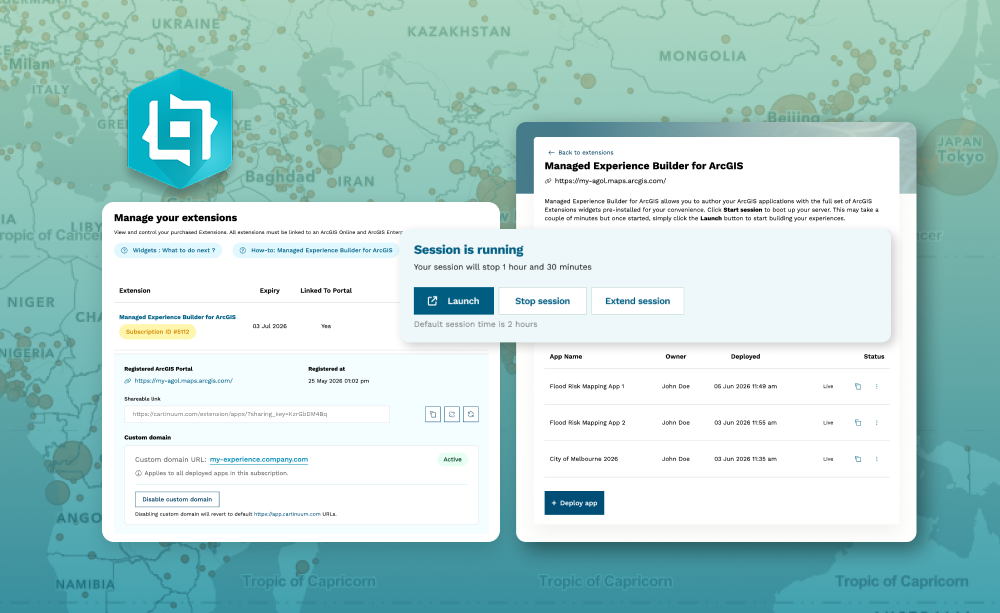
Want to use custom or third-party widgets with ArcGIS Experience Builder but don’t have the time, tools, or permissions to install Developer Edition, or deploy and manage new infrastructure to host your app?
Managed Experience Builder for ArcGIS gives teams the freedom to build, deploy, and operate advanced applications using custom widgets — without managing infrastructure. It is not hosting, it is a managed platform covering authoring, deployment, runtime, and operations This fully managed solution is perfect for ArcGIS Online users, government departments, consultancies, or teams without dedicated infrastructure.
Managed Experience Builder for ArcGIS also works with ArcGIS Enterprise. If you’re running an old version of ArcGIS Enterprise but want the latest Experience Builder features, you can connect our Managed Experience Builder for ArcGIS directly to your enterprise portal.
What it helps you do
Key features
Example use cases
Requirements
To create experiences, you must be a member of an ArcGIS organization with a user type that includes privileges to create content.
For detailed technical requirements, please check out the ArcGIS Experience Builder help site.
The pre-installed Extensions for ArcGIS widget library requires separate licenses to be obtained for each widget you choose to use in your experiences.

